Control Presentation
Control your presentation seamlessly using built-in controls. Whether you are advancing through critical analytics during a high stakes briefing in a unified control center or orchestrating a complex slide progression across a video wall, this tool ensures your delivery remains seamless and impactful. With intuitive navigation options to jump between slides, toggle visual transition effects, and drive the presentation either from the central editor or via external mobile control interfaces, you maintain absolute authority over the pace and flow of your information.
Slide Navigation Options:
- First Slide – Jump to the beginning of your presentation.
- Previous Slide – Move to the slide before the current one.
- Next Slide – Advance to the next slide in order.
- Last Slide – Skip directly to the final slide.
- Toggle Transition – Enable or disable slide transition effects for smoother or instant navigation.
Slides can be controlled either from the Editor or via external Control UIs.
Individual Controls of Visualizations, Maps and Media used in slides appear on control UI as you navigate through the presenation on the video wall.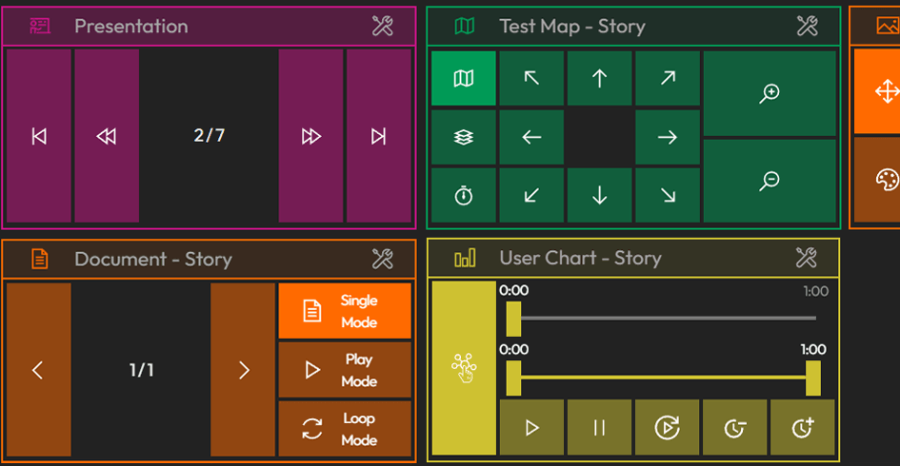
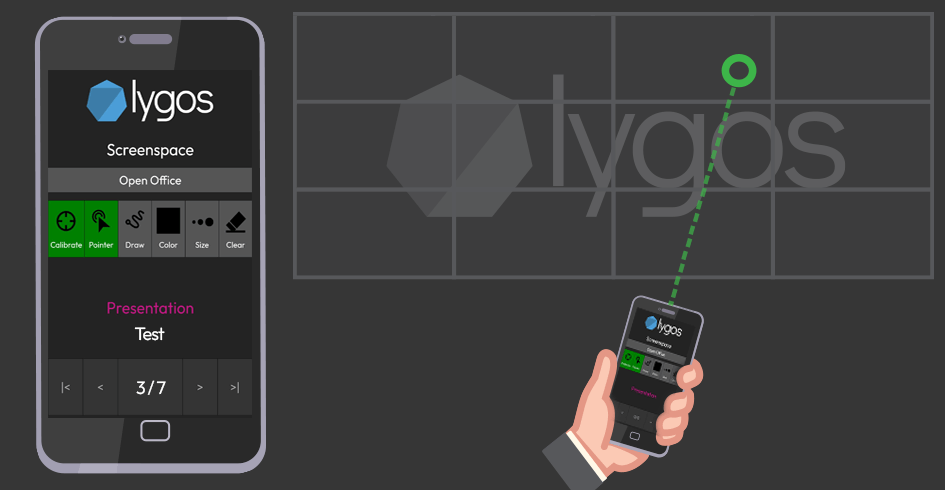
Alternatively, your guests and employees can control presentations by scanning a QR code (From Keys or QR Page on Management Client) and control the presentation from their Mobile Devices. Moreover, they can also use their mobile device as a laser pointer and draw on the slides as its whiteboard.