GraphData
GraphData is a local graph data source and editor. It can be used by Graph and Sankey Visualization on Video Wall.
Importing and Editing Graph Data
You can import or export graph files in the following formats: GEXF, GRAPHML, and JSON. Alternatively, you can start with a blank graph and add nodes and links using the Graph editor or edit the data manually through the JSON editor.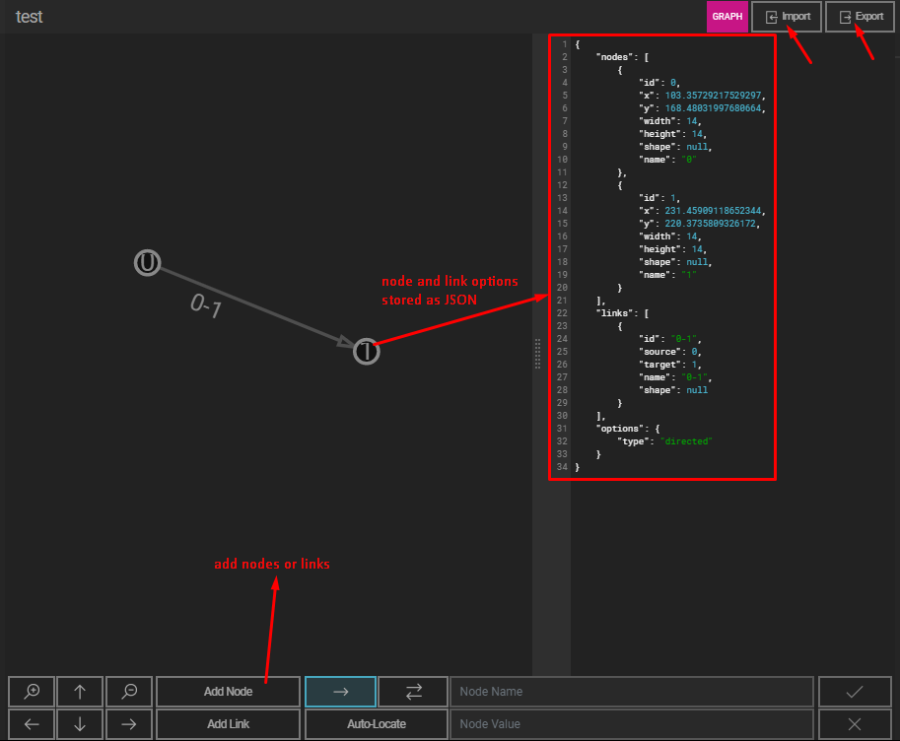
Adding Nodes and Links
Adding Nodes
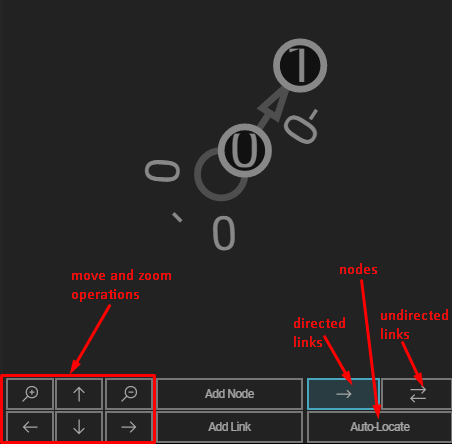
From the bottom menu, toggle the Add Node option. Then, press a point on the graph to place the node at that location.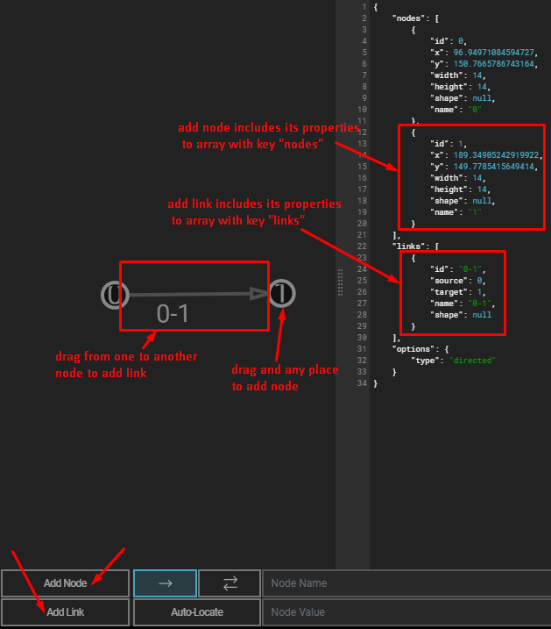
Adding Links
To create a link, toggle the Add Link option, select a source node, and drag the link to the target node:
- Mouse Input: Press the source node, drag to the target node while holding the mouse button, and release on the target node.
- Touch Input: Touch the source node, drag your finger to the target node, and release on the target node.
Editing Nodes and Links
Node Properties
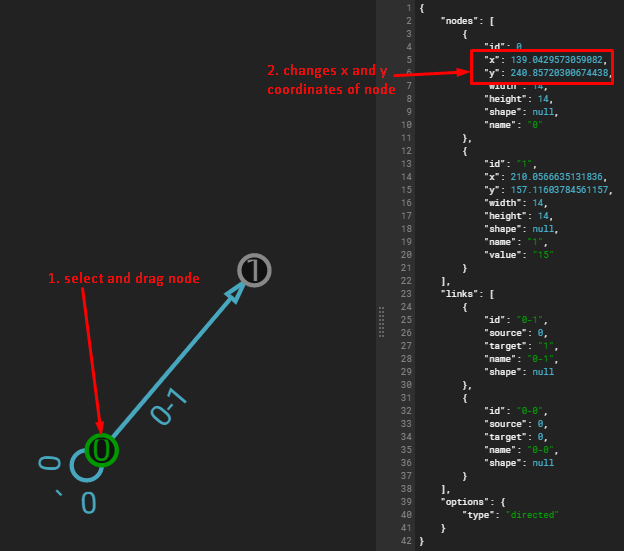
You can change the Name and Value of a node using the bottom menu. To do this, select the desired node and input the new properties.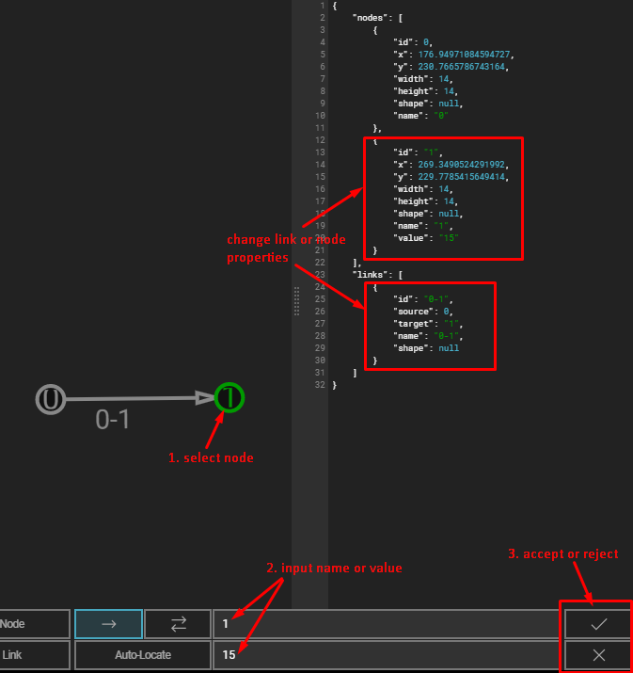
Link Properties
Links can be configured as either directed or undirected. This setting can be changed from the bottom menu.
Auto-Locate Feature
The Auto-Locate feature automatically repositions all nodes based on their links.
Warning: This action cannot be undone!
Supported Data Format
The data format for GraphData is Graph. This format can be used in visualizations such as Sankey and Graph Visualizations. For more details, please refer to the DataFormat documentation.