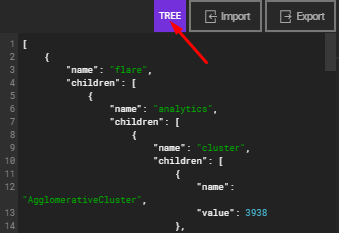
TreeData
TreeData is a local data source and editor for tree data structures. It can be used by Tree, Treemap and Sunburst data visualization on video walls.
Importing and Editing Tree Data
You can import or export tree files in JSON format. Alternatively, you can start with a blank tree and add child nodes as needed.
Supported File Format for Import:
[
    {
      'name': 'Branch 1',
      'id': 6265058603881,
      'value': '11',
      'children': [
        {
          'name': 'Leaf 1',
          'id': 9959038193218,
          'value': '32'
        },
        {
          'name': 'Leaf 2',
          'id': 5971168065556,
          'value': '24'
        }
      ]
    }
]
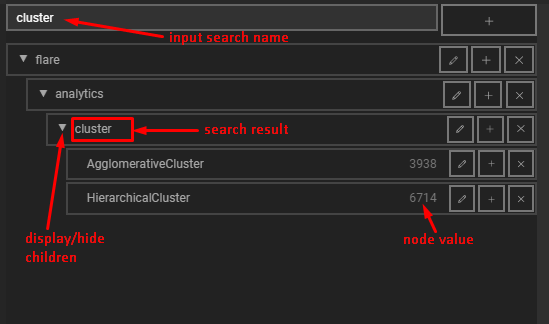
Here is the tree editor UI: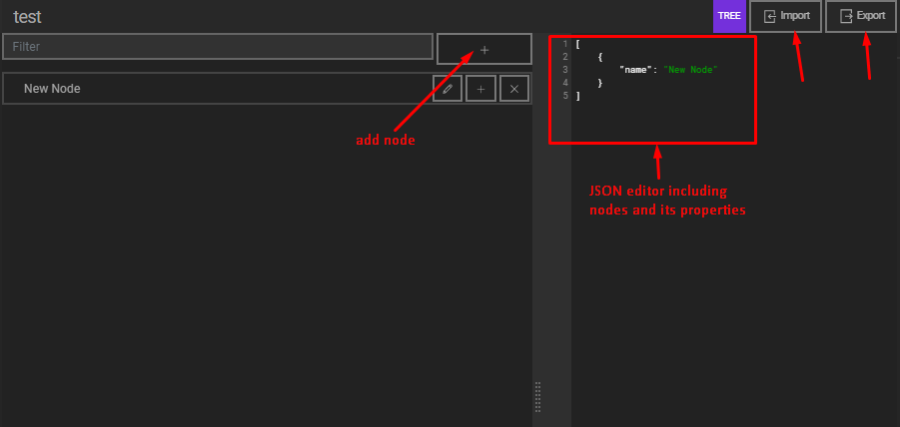
Adding and Managing Nodes
Adding Nodes
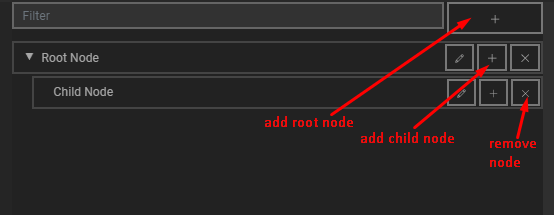
- Add Root Node: Click the plus (+) button in the top frame to add a root node.
- Add or Remove Child Nodes: Use the add or remove buttons on the right side of a node to manage its child nodes.
Editing Nodes
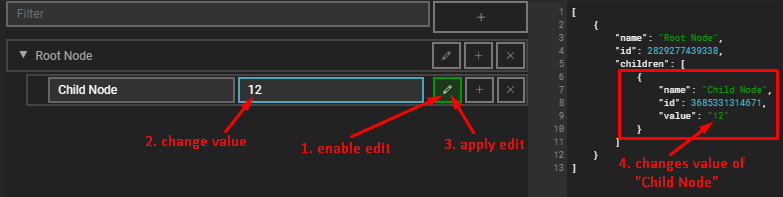
- Edit Name and Value: Click the <icon pen> button to modify the name and value of a node.
Viewing and Filtering Nodes
- Display or Hide Child Nodes: Toggle the visibility of child nodes for any parent node.
- Filter Nodes by Name: Use the filter functionality to search for nodes by name.
JSON Editor Integration
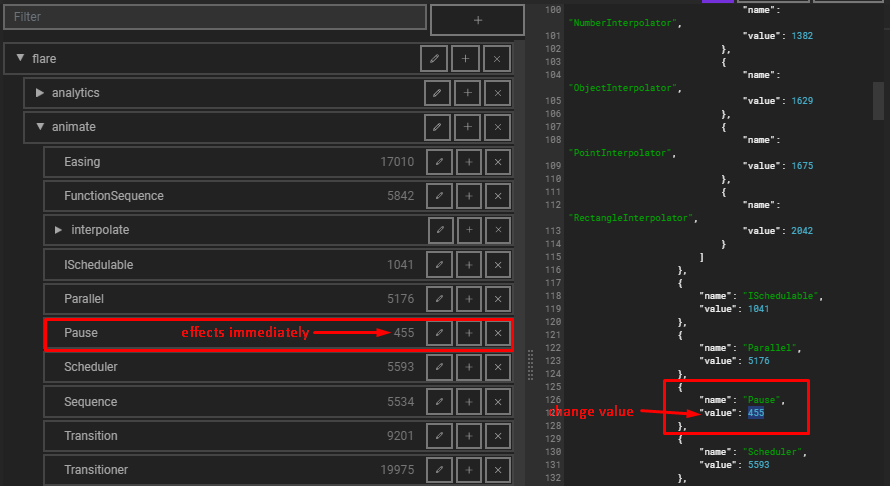
You can edit the Name, Value, or other fields of nodes directly using the JSON editor.
- Root nodes are stored as objects in an array.
- Child nodes are stored inside their parent node’s array under the
"children"key.
Supported Data Format
The data format for TreeData is Tree. This format can be used in visualizations such as Tree, TreeMap, and Sunburst Visualizations. For more information on the data format, please refer to the DataFormat documentation.