










Messages
The Messages module allows you to seamlessly integrate and monitor live, data driven feeds of alerts, events, or communications directly within your Lygos environment. Whether you are tracking critical system notifications in a security operations center or streaming real-time operational updates across a large scale video wall, this tool ensures your team never misses a crucial event. As the only media visualization designed to dynamically pair with internal or external data sources, it features robust logical filtering, customizable styling, and timestamp controls to perfectly tailor your live information streams.
🔔 Note: This is the only Media Visualization in Lygos that requires a data source to function.
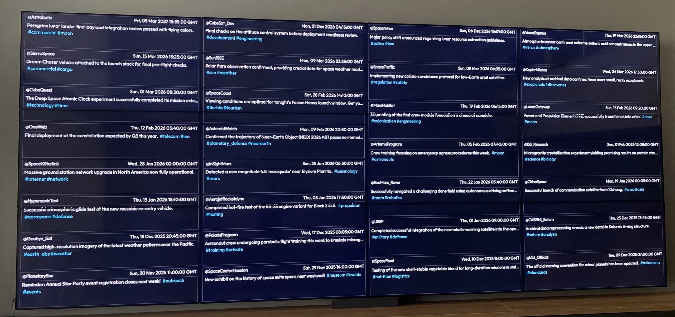
How to configure and display messages on video walls and dashboards
⚙️ Data & Logic
- Load your message data source (e.g., JSON, API, internal feed).
- Once loaded, messages will be displayed dynamically as they arrive.
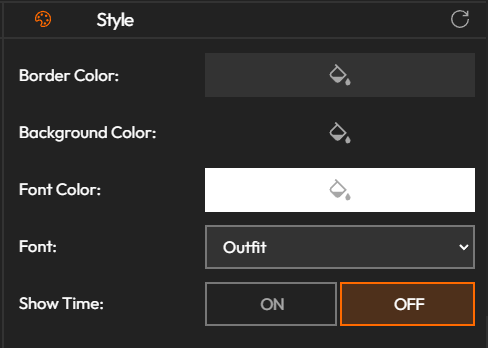
🎨 Style Options
Customize the appearance of your message feed:
- Border Color
- Background Color
- Font Color
- Font Type
- Show Time: Toggle the timestamp on/off.
- Scale: Adjust the visual scale of the feed elements.
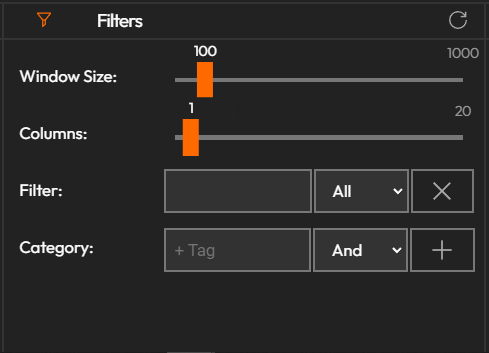
🔎 Filters
Refine what content is displayed using these filter options:
- Window Size: Define how many messages are visible at once.
- Title Filter: Show only messages that match specific titles.
- Tags Filter: Filter using tags (supports logical expressions for advanced filtering).
- Location Filter: Display messages related to a specific location.
Deploy on video walls and Dashboards
Deploy through Editor by clicking Deploy. Select a screenspace and select load into first available spot or swap with already deployed visualization.
Deploy through Display Module by navigating Display Module. Select screenspace and layout. Select visualization to deploy and click load or drag and drop into grid area.