










Wordcloud
The Wordcloud module offers a dynamic way to analyze and visualize large volumes of text data directly within your Lygos environment. Whether you are identifying key trends during a strategic briefing or highlighting critical operational themes across a massive video wall, this tool instantly transforms raw documents and pasted text into impactful, easy to read visual summaries. With seamless support for multiple file formats, intuitive data editing to adjust word frequencies, and comprehensive styling controls , including custom fonts, dynamic rotation, and vibrant color schemes, you can effortlessly design compelling text visualizations tailored to your specific presentation needs.
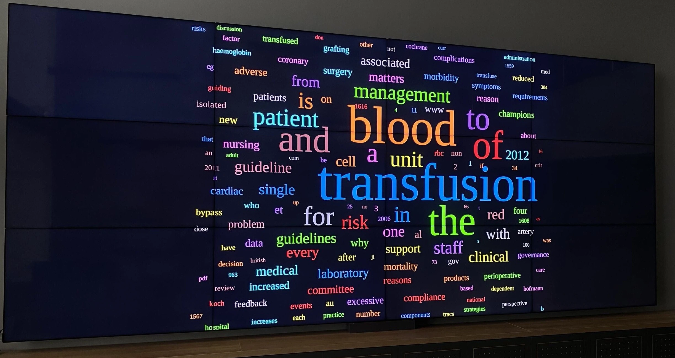
How to configure and display images on video walls and dashboards
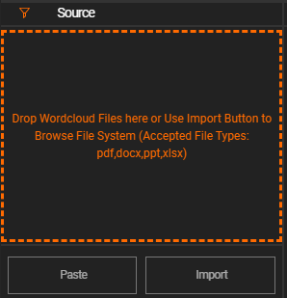
📥 Data Input
You can import or paste your text using either method:
- Import Documents
- Supported formats:
.pdf,.docx,.ppt,.xlsx
- Supported formats:
- Paste Text
- Enter or paste any text directly.
Once your content is loaded, words will appear under the Data tab.
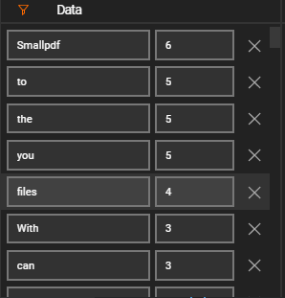
✏️ Data Tab
- View and edit individual words.
- Adjust word sizes.
- Note: Sizing is applied based on frequency ratios.
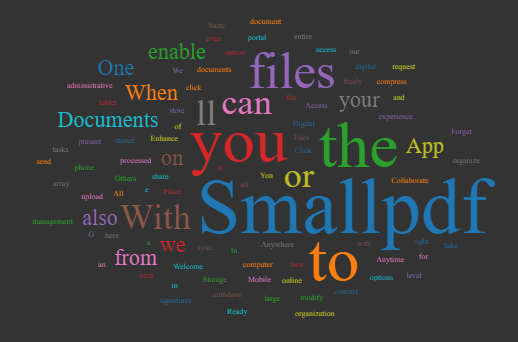
🎨 Config Tab – Style Customization
Customize your wordcloud with the following options:
- Background Color
- Font Type
- Random Colors: Enable or disable random font colors.
- Font Color: If random colors are off.
- Rotation: Control the angle/rotation of words.
- Padding: Set spacing between words.
Deploy on video walls and Dashboards
Deploy through Editor by clicking Deploy. Select a screenspace and select load into first available spot or swap with already deployed visualization.
Deploy through Display Module by navigating Display Module. Select screenspace and layout. Select visualization to deploy and click load or drag and drop into grid area.