










Watch
The Watch module provides essential timekeeping and synchronization tools directly within your Lygos environment. Whether you are coordinating global operations across multiple time zones in a command center or displaying a critical countdown timer on a video wall, this tool ensures your team stays perfectly on schedule. Offering five distinct modes, including standard clocks, stopwatches, multi city timezones, and animation sync trackers along with extensive visual customization options, you can easily design a tailored time display to fit any dashboard or layout.
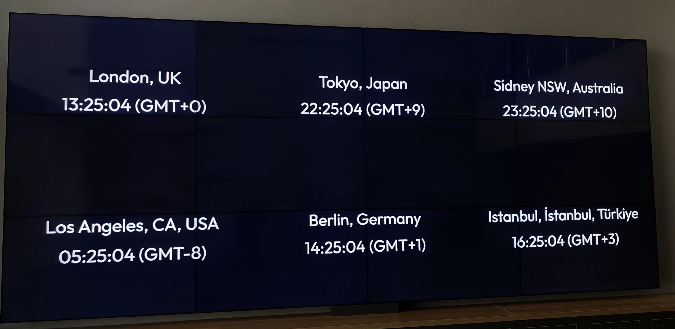
How to configure and display watch on video walls and dashboards
🕒 Modes
Lygos Watch supports five modes:
- Clock – Shows current time and date.
- Timer – Countdown timer. Start, stop, and reset controls included.
- Count (Stopwatch) – Count upwards from zero. Includes start, stop, and reset.
- Animation – Syncs with visual animations across screens.
- Timezone – Displays multiple clocks with different time zones in a single view.
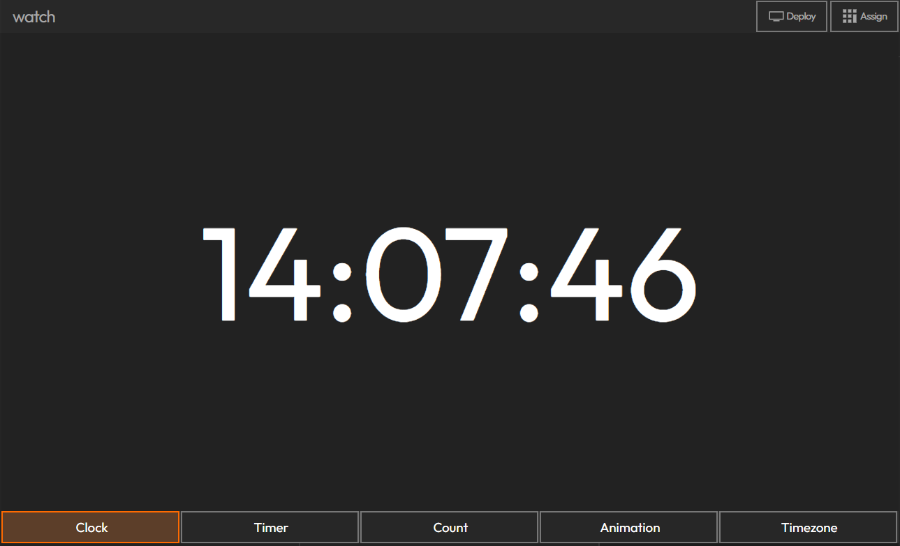
🎨 Style Settings
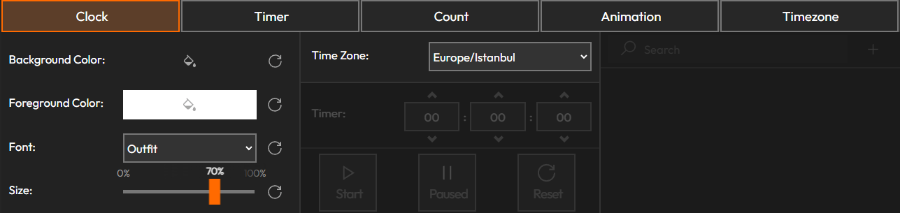
Customize the appearance of your watch:
- Time Zone & Date Display(Clock mode only)
- Background Color
- Foreground Color
- Seconds / Milliseconds Toggle
- Font Type
- Font Size
🌀 Animation Mode
- Shows a synchronized animation clock.
- Useful when you want a visual representation of sync timing for animations.
- Sync visualizations from:
- Control Module → Layout Tab
- (See Control Module documentation for details.)
🌍 Timezone Mode
- Add and display multiple clocks from different time zones.
- Ideal for international collaborations or global event tracking.
Deploy on video walls and Dashboards
Deploy through Editor by clicking Deploy. Select a screenspace and select load into first available spot or swap with already deployed visualization.
Deploy through Display Module by navigating Display Module. Select screenspace and layout. Select visualization to deploy and click load or drag and drop into grid area.