










Video
The Video module allows you to seamlessly integrate videos into your Lygos environment. Whether you are looping promotional content, sharing corporate presentations, or displaying recorded situational feeds across expansive multi screen video walls, this tool ensures smooth, high quality playback. You can easily upload local files or embed external links directly from YouTube and HTML5 sources, utilizing built in controls for precision trimming, looping, and volume management to perfectly tailor your media deployment. You can start by creating a new video document in a Management Client. Import or link video to the document. This video can now be deployed to layouts of any screen space (video wall).
How to configure and display videos on video walls and dashboards
📁 Video Types
- File: Upload local MP4 files (import/export supported)
- HTML5: Link to online MP4 or WEBM videos
- YouTube: Embed YouTube videos via URL
🎛️ Video Controls
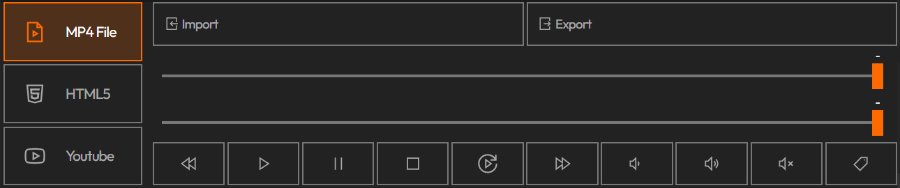
After adding your video, you can interact with the following controls:
Progress Bar:
- Displays current video time and total duration
Crop Slider:
- Trim the video by adjusting the start and end points with the second slider
Playback Controls:
- ▶️ Start | ⏸ Pause | ⏹ Stop | ⏩ Fast Forward | ⏪ Rewind
Loop Toggle:
- 🔁 Enable to loop the video continuously
Volume Control:
- 🔊 Adjust volume or toggle mute
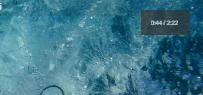
Show Label:
- 🏷️ Displays the video's current time and duration on the deployed screen
Important: Controls are synchronous on all client also affecting the video on the video wall itself.
Deploy on video walls and Dashboards
Deploy through Editor by clicking Deploy. Select a screenspace and select load into first available spot or swap with already deployed visualization.
Deploy through Display Module by navigating Display Module. Select screenspace and layout. Select visualization to deploy and click load or drag and drop into grid area.